
Are Apple Watches waterproof? No. Apple Watches are water-resistant, not completely waterproof. Most models from Apple Watch Series 2 onward are rated for shallow-water activities such as swimming, while Apple Watch Ultra models have a higher water-resistance rating and support additional underwater activities. The right answer depends on your watch’s generation, its condition, and the type of water exposure you have in mind.
Rain and pool swimming are different from scuba diving, and soap or shampoo can damage water seals over time. This guide explains the official ratings, including Apple Watch Series 3, swimming restrictions, Water Lock, and the precautions that help protect your device.
The Short Answer
- Water-resistant, not waterproof: Apple does not describe Apple Watch as completely waterproof.
- Series 2 and later: Rated to 50 metres under ISO 22810:2010 for shallow-water activities, including pool and ocean swimming.
- Apple Watch Ultra and later: Rated to 100 metres under ISO 22810:2010, with support for recreational scuba diving to 40 metres and certain high-speed water sports.
- Important limitation: Water resistance can decrease with age, impact damage, and wear. A rating does not guarantee that a used or damaged watch will remain watertight. Apple explains these limitations in its official water-resistance guidance.
Why the Rating Matters More Than the Word Waterproof
Apple uses water-resistance ratings to describe how its watches handle specified conditions. The ratings are not a promise that a device can withstand every kind of water exposure.
For example, the 50-metre rating on standard Apple Watch models is based on ISO 22810:2010. It supports shallow-water activities, including swimming, but does not mean you can take the watch 50 metres underwater. Nor does it make the watch suitable for scuba diving, waterskiing, or other activities involving high-velocity water.
The Ultra range has a 100-metre water-resistance rating and is designed for more demanding water activities. Apple supports recreational scuba diving to a maximum depth of 40 metres on compatible Ultra models, subject to the manufacturer’s conditions and restrictions.
These are water-resistance ratings, not conventional IP ratings that you can compare interchangeably. The IPX7 rating on the original Apple Watch and Series 1, for example, is a separate classification under IEC 60529. Apple advises against submerging those older watches.
Where the Answer Changes
Water resistance is not the same thing as unlimited protection. A watch suitable for pool swimming may still be unsuitable for a particular water sport, and even a higher-rated model needs proper care.
Standard Apple Watch models

Series 2 and later standard models, including the Apple Watch SE family, are designed for shallow-water activities such as swimming in a pool or ocean. They are practical for swimmers who want to track workouts without wearing a separate sports watch.
However, they are not intended for recreational scuba diving, waterskiing, or activities involving high-velocity water. If your main activity is swimming laps or casual surface swimming, a supported standard model may be sufficient.
Apple Watch Ultra models
Apple Watch Ultra models have a 100-metre rating under ISO 22810:2010 and are designed for more demanding outdoor use. Compatible Ultra models support recreational scuba diving to 40 metres and certain high-speed water sports.
That does not mean every underwater activity is safe. Follow the model-specific instructions, use compatible diving apps and accessories where required, and never exceed the manufacturer’s depth limits. A higher rating also cannot guarantee protection if a watch has been damaged or its seals have deteriorated.
Apple Watch Series 3
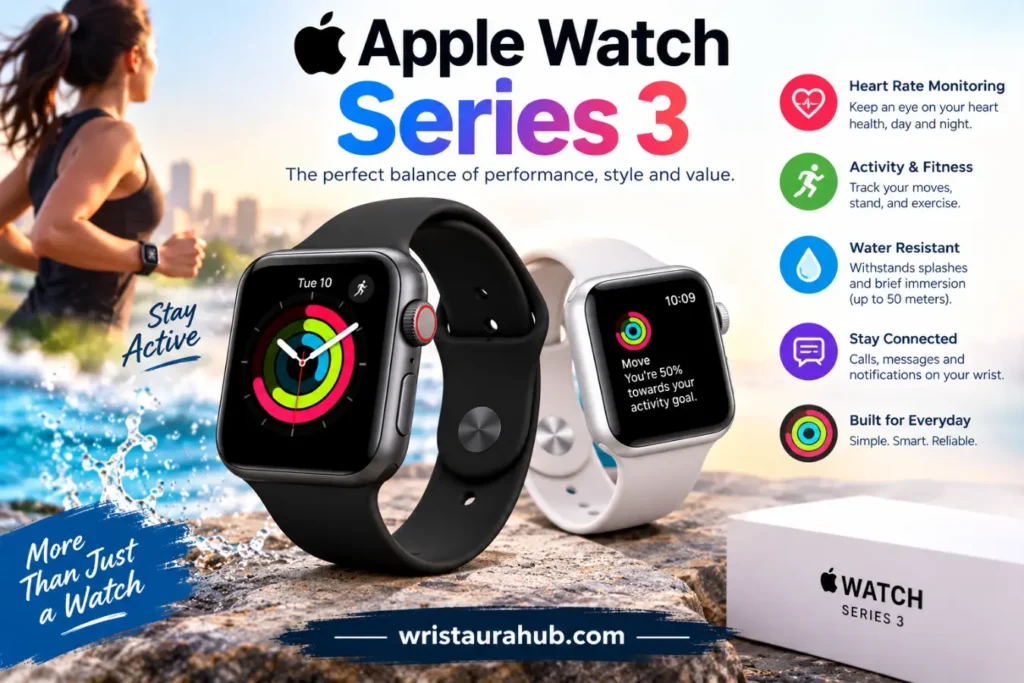
Are Apple Watches waterproof Series 3 owners can swim with? Series 3 has a 50-metre water-resistance rating under ISO 22810:2010. Apple says it can be used for shallow-water activities, including swimming in a pool or ocean.
Series 3 is not rated for scuba diving, waterskiing, or other activities involving high-velocity water or submersion below shallow depth. Since this is an older generation, the condition of a second-hand device is particularly important. Years of use, impacts, and seal deterioration may reduce its water resistance, even if it originally met Apple’s specifications.
Pool swimming versus open-water swimming
Standard supported models can be used for shallow-water swimming in pools and oceans. However, chlorine, salt, sand, and other contaminants make aftercare important.
After swimming, rinse a supported watch gently with fresh, warm water and dry it with a soft, lint-free cloth. Avoid pressing buttons or manipulating controls unnecessarily while the device is wet, unless the model’s instructions specifically permit it.
Open-water swimming also brings practical risks beyond water resistance, including impact against rocks, accidental knocks, and difficulty recovering a lost watch. Water resistance is not a guarantee against every accident.
Showers, soap, and shampoo
Although an Apple Watch may tolerate incidental splashes, Apple advises avoiding soap and soapy water, including exposure during showers and baths. Shampoo, conditioner, detergent, perfume, sunscreen, and other chemicals can damage water seals or acoustic membranes.
If your watch accidentally comes into contact with these substances, rinse it with fresh, warm water and dry it carefully. Do not deliberately expose it to these products simply because it has a water-resistance rating.
Salt water and chlorine
Ocean and pool water are not the same as clean freshwater. Salt, chlorine, and other residues can affect the watch and its band if left on the surfaces.
After swimming in a pool or the ocean, follow Apple’s cleaning instructions for your model. Not every band is suitable for water: leather, stainless-steel bracelet styles, and certain other band materials should not be treated as swim-ready just because the watch itself is water-resistant.
Water Lock, Speaker Ejection, and Everyday Care
Water Lock is a useful Apple Watch feature, but it does not make the device waterproof. It prevents accidental screen taps while the watch is wet and helps eject water remaining in the speaker when you turn it off.
To use it after swimming:
- Open Control Center and tap Water Lock if it is not already enabled.
- After leaving the water, press and hold the Digital Crown to turn Water Lock off.
- Allow the watch to play its clearing tones.
- Wipe the watch and band with a soft, lint-free cloth.
Water Lock is available on supported models and may activate automatically during water-based workouts. Follow Apple’s instructions for your watchOS version.
Are Apple Watches Waterproof? Official Model Ratings
The following table summarizes the main distinctions in Apple’s published guidance.
| Apple Watch generation | Official water rating | Appropriate water activities |
|---|---|---|
| Original Apple Watch and Series 1 | IPX7 under IEC 60529 | Splashes and rain; avoid submersion |
| Series 2 and later standard models | 50 metres under ISO 22810:2010 | Shallow-water swimming |
| Apple Watch SE models | 50 metres under ISO 22810:2010 | Shallow-water swimming |
| Apple Watch Ultra and later | 100 metres under ISO 22810:2010 | Swimming, snorkeling, and supported higher-intensity water activities; recreational diving within the stated limit |
These are manufacturer ratings, not guarantees against water damage. Check the specifications for your exact generation, especially if you own an older or second-hand device. The Apple Watch Series 3 has a 50-metre water-resistance rating, while the Apple Watch Ultra 4 has a 100-metre rating and supports recreational diving to a maximum depth of 40 meters.
What People Get Wrong About Water Resistance
A 50-metre rating means you can dive 50 metres
It does not. The rating is based on standardized testing, not permission to use the watch at that underwater depth. Standard models are intended for shallow-water activities, not scuba diving.
Every Apple Watch band is swim-safe
The watch and its band have different material limitations. Some leather, stainless-steel, and FineWoven bands are not suitable for water exposure. Check the band’s care instructions before swimming.
Water Lock makes the watch waterproof
Water Lock is a screen-control and speaker water-ejection feature. It does not improve the watch’s water-resistance rating or repair damaged seals.
Water resistance lasts forever
Apple warns that resistance can diminish over time. Impacts, normal wear, and exposure to chemicals can affect seals and acoustic membranes. Do not assume an older watch is still water-resistant simply because it was originally rated for swimming.
Showering is always safe
Apple advises avoiding soap and soapy water, including during showers and baths. Shampoo and conditioner can affect seals even when the watch is rated for swimming.
Choose Your Apple Watch Based on the Water Activity
If you mainly want to track laps in a pool, a supported standard Apple Watch or SE model is generally suitable. For casual open-water swimming, standard models are also supported for shallow-water use.
If you need a watch for recreational scuba diving or high-speed water sports, look at the Apple Watch Ultra range and check the precise model’s restrictions. Do not rely on the words “waterproof” or “50 metres” alone.
For an older Series 3, consider its condition as carefully as its original specification. If it has been dropped, repaired, or heavily used, avoid deliberately submerging it when its resistance is uncertain.
The Final Talk
Apple Watches are useful for swimming and everyday water exposure when the model supports the activity, but no Apple Watch should be treated as completely waterproof. Standard models are designed for shallow-water swimming, while Ultra models offer broader water-sport capabilities under specific limits.
The safest approach is simple: check the exact model, avoid soap and harsh chemicals, rinse off salt or pool residue, and dry the device properly. If you need a watch for diving, follow the manufacturer’s depth limits and safety instructions rather than relying on a water-resistance number alone.
FAQs
Strictly speaking, none are completely waterproof. Series 2 and later standard models and SE models support shallow-water swimming, while Apple Watch Ultra models have a higher rating and support additional water activities.
They are water-resistant, not waterproof. Supported models from Series 2 onward can be used for shallow-water swimming in pools and oceans. Avoid scuba diving and high-velocity water sports with standard models.
No Apple Watch Series 3 is fully waterproof, but it has a 50-metre water-resistance rating under ISO 22810:2010 and supports shallow-water swimming. Its resistance may have diminished with age or damage.
Apple advises avoiding showers and baths because soap and soapy water can affect water seals and acoustic membranes. Accidental exposure should be rinsed off with fresh, warm water and dried carefully.
No. Water Lock prevents accidental screen input and helps eject water from the speaker. It does not make the watch waterproof or protect damaged seals.
Salt water and pool water can leave residues that should be rinsed away after swimming. Apple recommends gently rinsing supported models with fresh, warm water and drying the watch and band thoroughly.
Pingback: Most Expensive Watches in History and Their Prices